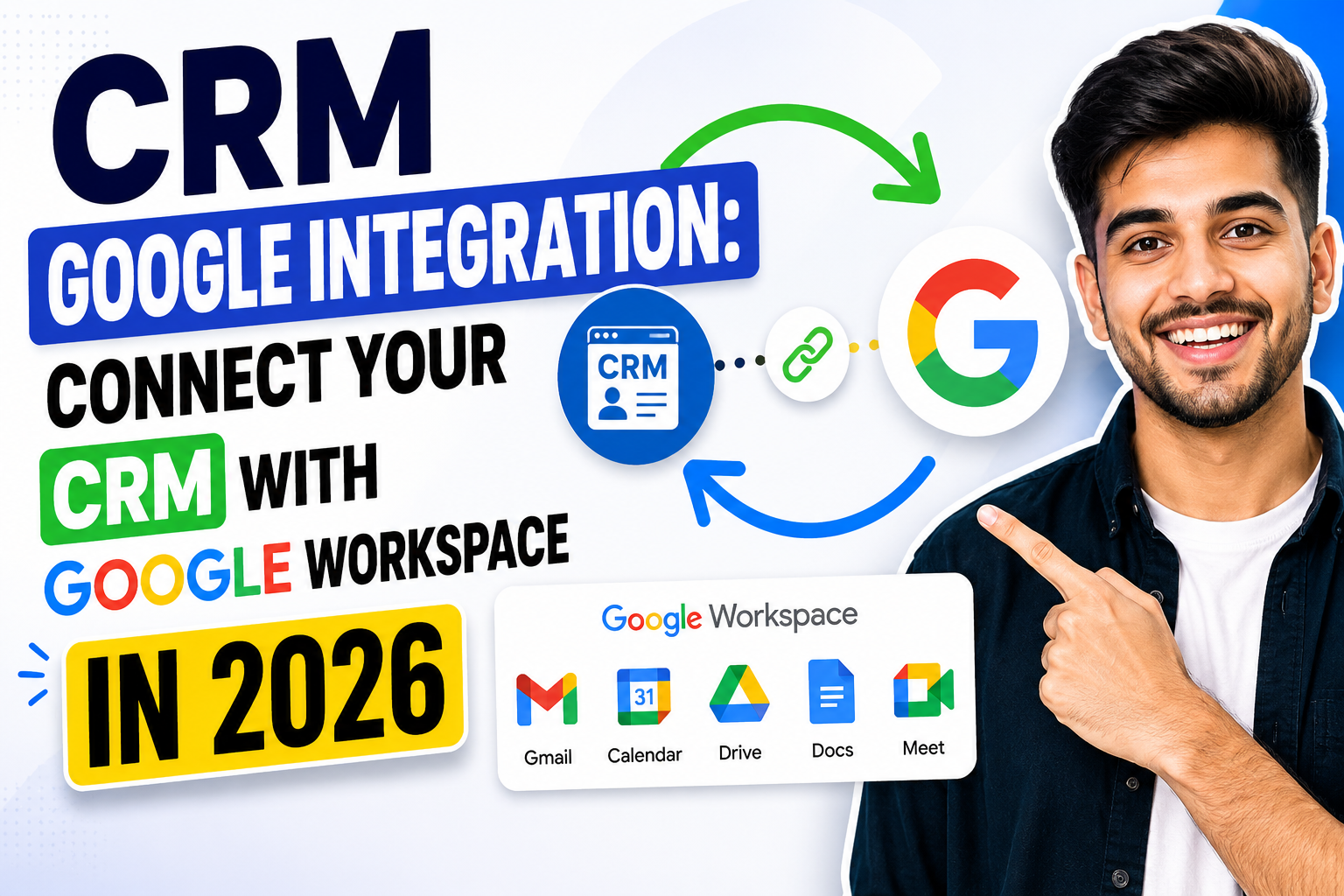
Google Workspace is the productivity backbone of millions of businesses—Gmail for email, Google Calendar for scheduling, Google Drive for documents, and Google Contacts for address books. When you add a powerful CRM Google integration, your team can manage customer relationships without ever leaving the tools they use every day.
In this guide, we’ll explain what CRM Google integration covers, why it’s essential for modern sales teams, and which CRM platforms offer the deepest native connectivity with Google Workspace.
What Is CRM Google Integration?
CRM Google integration refers to the two-way synchronization between a customer relationship management platform and Google’s suite of productivity apps. At its core, it means your CRM automatically logs Gmail conversations, syncs Google Calendar events as CRM activities, pulls Google Contacts into your CRM database, and connects Google Drive files to customer records—all without manual effort.
The result is a seamlessly connected workspace where sales data flows automatically between Google apps and your CRM, eliminating data silos and duplicate entry.
Key Components of CRM Google Integration
Gmail Integration
Two-way email sync between Gmail and CRM ensures every customer email is logged against the relevant contact and deal. A CRM sidebar panel inside Gmail lets reps view contact details, deal stage, and recent activity without switching tabs. Email templates and tracking (open/click notifications) work directly from Gmail.
Google Calendar Integration
Meetings created in Google Calendar automatically appear as activities in the CRM timeline. Conversely, meetings scheduled from the CRM sync back to Google Calendar. This bidirectional sync ensures scheduling and CRM activity records stay perfectly aligned.
Google Contacts Sync
New contacts added in Gmail or Google Contacts are automatically created in the CRM, and updates flow both ways. This prevents the common problem of separate contact databases in Gmail and CRM falling out of sync.
Google Drive Integration
Attach proposals, contracts, and presentations from Google Drive directly to CRM deals and contacts. Some platforms allow sharing Drive files directly from the CRM interface without downloading and re-uploading.
Google Meet Integration
CRM platforms with Google Meet integration can automatically create Meet links when scheduling calls or demos and log meeting recordings and transcripts against the relevant CRM records.
Why CRM Google Integration Matters for Sales Teams
Eliminating Context Switching
Sales reps spend up to 30% of their time switching between tools. CRM Google integration lets reps stay in Gmail—their primary communication hub—while accessing all CRM data through a sidebar panel.
Automatic Activity Capture
Without integration, reps must manually log every email and meeting into the CRM. With CRM Google integration, this happens automatically—ensuring complete activity records without relying on rep discipline.
Faster Follow-Up
When a contact’s complete CRM history is visible alongside their Gmail thread, reps can craft personalized, contextually relevant follow-ups in seconds rather than minutes.
Better Forecasting Accuracy
Automatic activity logging means managers get a true picture of deal engagement—not just the activities reps chose to log manually. This improves forecast accuracy and coaching effectiveness.
Best CRM Platforms for Google Integrations
Copper CRM
Copper is purpose-built for Google Workspace and offers the deepest CRM Google integration on the market. It lives entirely inside Gmail with no tab-switching required, auto-logs all emails and calendar events, and syncs Google Contacts bidirectionally. Ideal for Google-first teams.
HubSpot CRMs
HubSpot’s Google Workspace integration includes a Gmail Chrome extension with CRM sidebar, automatic email logging, meeting scheduling via Google Calendar, and Google Drive file attachment. The free tier includes full Google integration.
Salesforce
Salesforce’s Einstein Activity Capture provides automatic Gmail and Google Calendar sync for enterprise teams. Salesforce for Gmail adds a sidebar panel inside Gmail for full CRM access while composing and reading emails.
Pipedrive
Pipedrive’s Google integration includes two-way email sync, Google Calendar activity logging, and a Gmail sidebar showing deal and contact details alongside email threads.
Zoho CRM
Zoho’s Google Workspace integration syncs contacts, calendar events, and email—with additional integration with Google Sheets for data export and Google Ads for campaign tracking.
Setting Up CRM Googles Integrations
- Choose your CRM with native Google Workspace integration in its app marketplace.
- Install the Chrome extension to embed the CRM sidebar inside Gmail.
- Authorize Google permissions for Gmail, Calendar, and Contacts via OAuth.
- Configure logging rules—decide which emails auto-log and which to exclude (e.g., internal emails).
- Enable Calendar sync so meetings flow bidirectionally between Google and your CRM.
- Test with a small group before rolling out to the full sales team.
Custom CRMs with Google Integrations
If your business requires a CRM built around Google Workspace with custom automation rules, a custom CRM with native Google API integration may deliver the best long-term fit. Custom development allows precise control over which data syncs, when, and in which direction.
Related Resources
Frequently Asked Questions
What is CRMs Google integration?
CRM Google integration connects your CRM platform with Google Workspace apps—Gmail, Google Calendar, Google Contacts, and Google Drive. It enables automatic email logging, bidirectional calendar sync, contact synchronization, and document attachment so your team manages customer relationships without leaving Google’s tools.
Which CRMs integrates best with Google Workspace?
Copper CRM integrates most deeply with Google Workspace, as it was built specifically for Google-first teams and lives entirely inside Gmail. HubSpot, Pipedrive, Zoho CRM, and Salesforce also offer strong Google Workspace integration through native apps and Chrome extensions.
Is CRM Google integrations free?
Many CRMs offer basic Google integration for free. HubSpot’s free CRM includes Gmail sync and Google Calendar integration at no cost. Copper, Pipedrive, and Zoho require paid plans for full Google Workspace connectivity including advanced sync features.
Does CRM Google integrations work with Google Workspace for Business?
Yes, CRM Google integrations work with all Google Workspace tiers—Business Starter, Business Standard, Business Plus, and Enterprise. OAuth-based authorization ensures secure connections that comply with Google Workspace admin policies.
Conclusion
CRM Google integration transforms Google Workspace from a productivity suite into a full customer management environment. By connecting your CRM with Gmail, Google Calendar, and Google Drive, your team captures every customer interaction automatically and manages relationships with complete context—all from the tools they already love.
Ready to build a custom CRM with deep Google Workspace integration? Explore VBWebSol’s CRM solutions or contact us today.