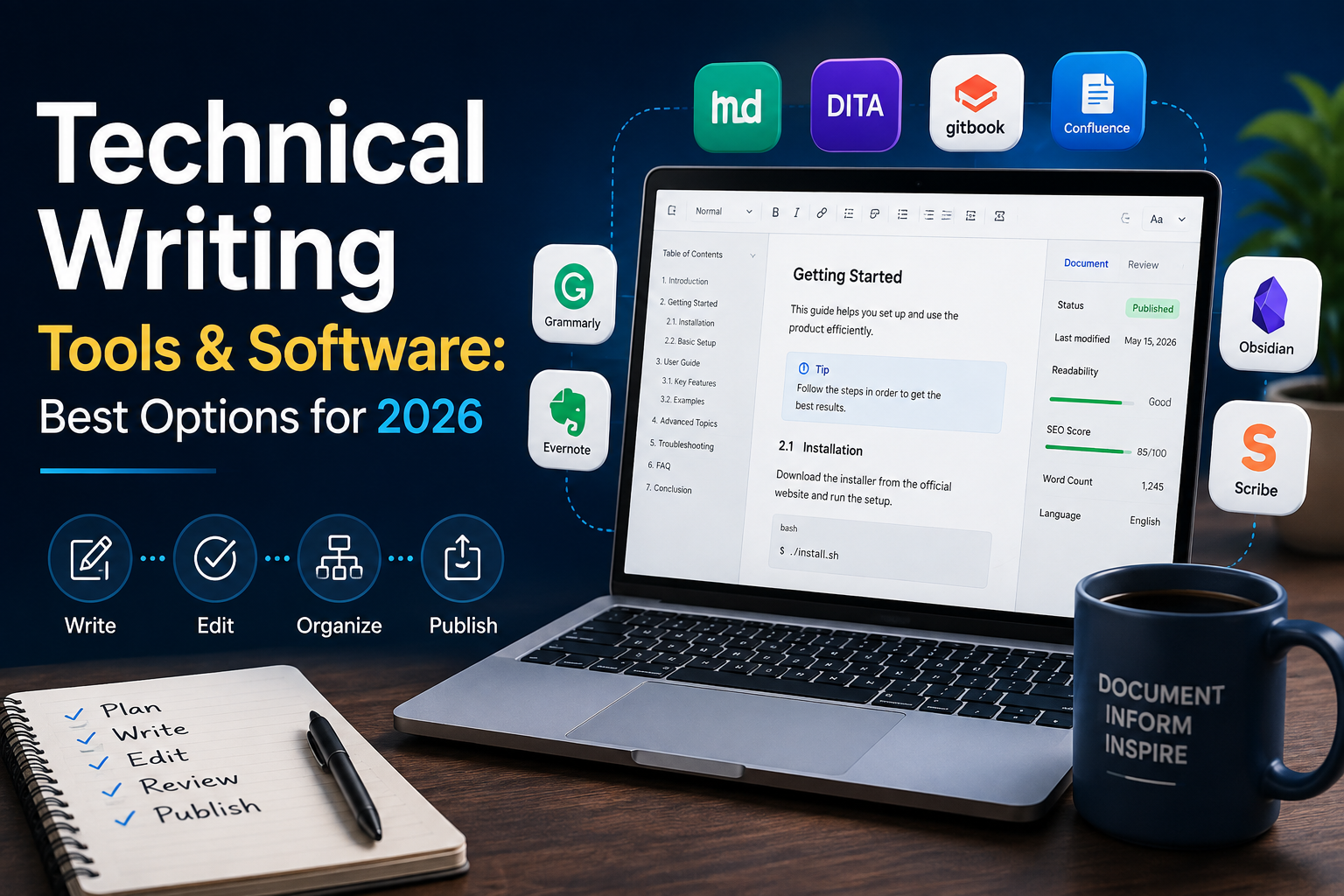
Technical writing — API documentation, user guides, knowledge base articles, internal engineering docs — has its own tooling needs that general word processors don’t fully address: version control, structured content reuse, collaborative review workflows, and often direct integration with code repositories. This guide covers the leading categories of technical writing software and the top tools within each, to help you choose the right stack for your documentation needs.
What Makes Technical Writing Tools Different From General Writing Tools
Technical documentation typically needs to be versioned alongside a product’s release cycle, reused across multiple documents (the same warning or code snippet often appears in many places), reviewed collaboratively by both writers and subject-matter experts, and often published to multiple output formats (web, PDF, in-app help) from a single source. General word processors handle none of these needs particularly well at scale, which is why a distinct technical writing tool category has developed.
Categories of Technical Writing Tools
Docs-as-Code Tools
“Docs-as-code” treats documentation like software — written in plain text formats (Markdown, reStructuredText, AsciiDoc), version-controlled in Git alongside the codebase, and built/deployed through the same CI/CD pipelines used for software releases. This approach has become dominant particularly for developer-facing documentation (API docs, SDKs), given how naturally it fits into existing engineering workflows.
Leading tools: MkDocs, Docusaurus, Sphinx, and GitBook (which offers both a docs-as-code and a more traditional editor-based workflow)
Component Content Management Systems (CCMS)
CCMS platforms are built around structured content reuse — writing content once as reusable components and assembling them into multiple documents, which is particularly valuable for technical documentation with significant content overlap across product variants or document types.
Leading tools: MadCap Flare, Paligo, and Adobe FrameMaker (with DITA support)
API Documentation Tools
Purpose-built tools for documenting APIs, often generating interactive documentation directly from API specifications (OpenAPI/Swagger) rather than requiring fully manual documentation writing.
Leading tools: Swagger UI/SwaggerHub, Postman (for API documentation alongside its testing capability), ReadMe, and Stoplight
Knowledge Base and Help Center Platforms
For customer-facing support documentation, dedicated knowledge base platforms offer easier non-technical editing, built-in search, and analytics on which articles customers actually find useful.
Leading tools: Zendesk Guide, Help Scout Docs, Document360, and Confluence (often used for both internal and external documentation)
General Documentation and Wiki Tools
For internal engineering and process documentation, more general-purpose wiki and documentation tools remain widely used, prioritizing ease of collaborative editing over the structured reuse capability of a full CCMS.
Leading tools: Confluence, Notion, and GitBook
Detailed Tool Comparisons
MkDocs vs. Docusaurus
Both are popular static site generators for docs-as-code workflows, built specifically for technical documentation. Docusaurus, built by Meta, offers stronger built-in support for versioned documentation (useful for products maintaining docs across multiple release versions simultaneously) and a more modern, customizable React-based theming system. MkDocs is generally simpler to set up for straightforward documentation sites without needing React/JavaScript familiarity, making it popular for Python-centric projects and teams wanting a more minimal setup.
Confluence vs. Notion
Confluence remains deeply embedded in many engineering organizations already using Atlassian’s Jira for project management, offering tight integration between documentation and development tracking. Notion has gained significant adoption for its more flexible, modern editing experience and broader use beyond pure documentation (project management, wikis, team knowledge bases), though it lacks some of Confluence’s more specialized documentation-specific features like page templates built for technical documentation structures.
MadCap Flare vs. Paligo
Both are established CCMS platforms supporting structured content reuse via DITA or similar topic-based authoring models. Flare is a long-established, feature-rich desktop-based tool with a steeper learning curve, while Paligo offers a fully cloud-based, collaborative-first approach that’s often considered more accessible for distributed writing teams, at a generally comparable price point for mid-sized documentation teams.
Choosing the Right Tool for Your Documentation Needs
For Developer-Facing API Documentation
Prioritize tools with strong OpenAPI/Swagger integration (ReadMe, Stoplight, SwaggerHub) that can generate interactive, testable documentation directly from your API specification, reducing the manual documentation burden and keeping docs synchronized with actual API behavior.
For Product Documentation With Significant Content Reuse
If you’re documenting multiple product variants or need to maintain consistency across many overlapping documents, a CCMS platform (MadCap Flare, Paligo) with structured content reuse capability will save significant maintenance effort compared to manually keeping duplicated content synchronized across separate documents.
For Engineering Teams Already Using Git-Based Workflows
Docs-as-code tools (MkDocs, Docusaurus, Sphinx) fit naturally into existing developer workflows, allowing documentation review through the same pull request process used for code review, and versioning documentation alongside code releases.
For Customer-Facing Support Documentation
Dedicated knowledge base platforms (Zendesk Guide, Document360, Help Scout Docs) offer easier editing for non-technical support staff, built-in search optimization, and analytics on article effectiveness that general documentation tools typically lack.
Key Features to Evaluate Regardless of Category
Version Control and History
The ability to track changes, revert to previous versions, and understand who changed what and when is essential for maintaining documentation quality and accountability, particularly for teams with multiple contributors.
Collaborative Review Workflows
Structured review and approval processes — whether through Git-based pull requests or built-in review/commenting features — ensure documentation accuracy is validated by subject-matter experts before publication.
Search and Findability
For any documentation of meaningful size, strong built-in search functionality is critical, since documentation that exists but can’t be found by users provides little practical value.
Multi-Format Publishing
The ability to publish the same source content to multiple output formats (web, PDF, in-app help widgets) from a single source reduces duplicate maintenance effort for teams needing documentation in multiple formats.
Analytics and Feedback
Understanding which documentation pages are actually being used, where users get stuck, and gathering direct feedback on article helpfulness supports continuous documentation improvement based on real usage data rather than assumptions.
AI Tools in Technical Writing
AI-assisted writing tools have become increasingly integrated into technical writing workflows — for drafting initial content from structured inputs, summarizing complex technical concepts for different audience levels, and reviewing documentation for clarity and consistency. These tools are generally most effective as an assistant augmenting a technical writer’s domain expertise and accuracy verification, rather than as a replacement for the subject-matter understanding and precision technical documentation requires, particularly for safety-critical or highly technical accuracy-dependent content.
Frequently Asked Questions
What’s the best tool for API documentation? ReadMe and Stoplight are commonly recommended for API documentation specifically, given their strong integration with OpenAPI/Swagger specifications, allowing documentation to stay synchronized with actual API behavior and offering interactive testing capability directly within the documentation.
Should I use a docs-as-code approach or a traditional CMS-based documentation tool? Docs-as-code tools fit particularly well for developer-facing documentation maintained by teams already comfortable with Git-based workflows, while traditional CMS-based tools (Confluence, dedicated knowledge base platforms) are often more accessible for non-technical writers or support teams who aren’t already working in code repositories.
What’s the difference between Confluence and a dedicated CCMS like MadCap Flare? Confluence is a general-purpose collaborative wiki/documentation tool without the structured content reuse (topic-based authoring, DITA support) that a dedicated CCMS like MadCap Flare offers — CCMS platforms are specifically built for documentation requiring significant content reuse across multiple related documents.
Is Notion good for technical documentation? Notion offers a flexible, modern editing experience popular for internal documentation and team wikis, though it lacks some documentation-specific features (structured content reuse, multi-format publishing) that dedicated technical writing tools provide, making it better suited to internal or less complex documentation needs than large-scale, highly structured technical documentation projects.
Do I need a separate tool for customer-facing versus internal documentation? Many organizations do use separate tools — a docs-as-code or CCMS platform for customer-facing product documentation requiring polish and structure, alongside a more flexible wiki tool (Confluence, Notion) for internal engineering and process documentation — though smaller teams sometimes successfully use a single flexible tool for both purposes.
How is AI changing technical writing tools? AI-assisted drafting, summarization, and consistency-checking features have become increasingly integrated into technical writing tools, generally functioning most effectively as an assistant to a technical writer’s domain expertise rather than fully replacing the accuracy verification and subject-matter understanding that quality technical documentation requires.