Your sales team lives in Gmail. Every customer conversation, follow-up, and proposal thread passes through their inbox. A CRM integrated with Gmail brings your pipeline, contacts, and deal history directly into the inbox—so reps never need to switch apps to get the context they need for every email they send.
This guide focuses specifically on how a CRM integrated with Gmail works in practice, what the best platforms offer, and how to choose the right one for your team’s workflow.
How a CRM Integrated with Gmail Works
A Gmail-integrated CRM connects to your Google account via OAuth and adds two layers of functionality:
The Gmail Sidebar Panel
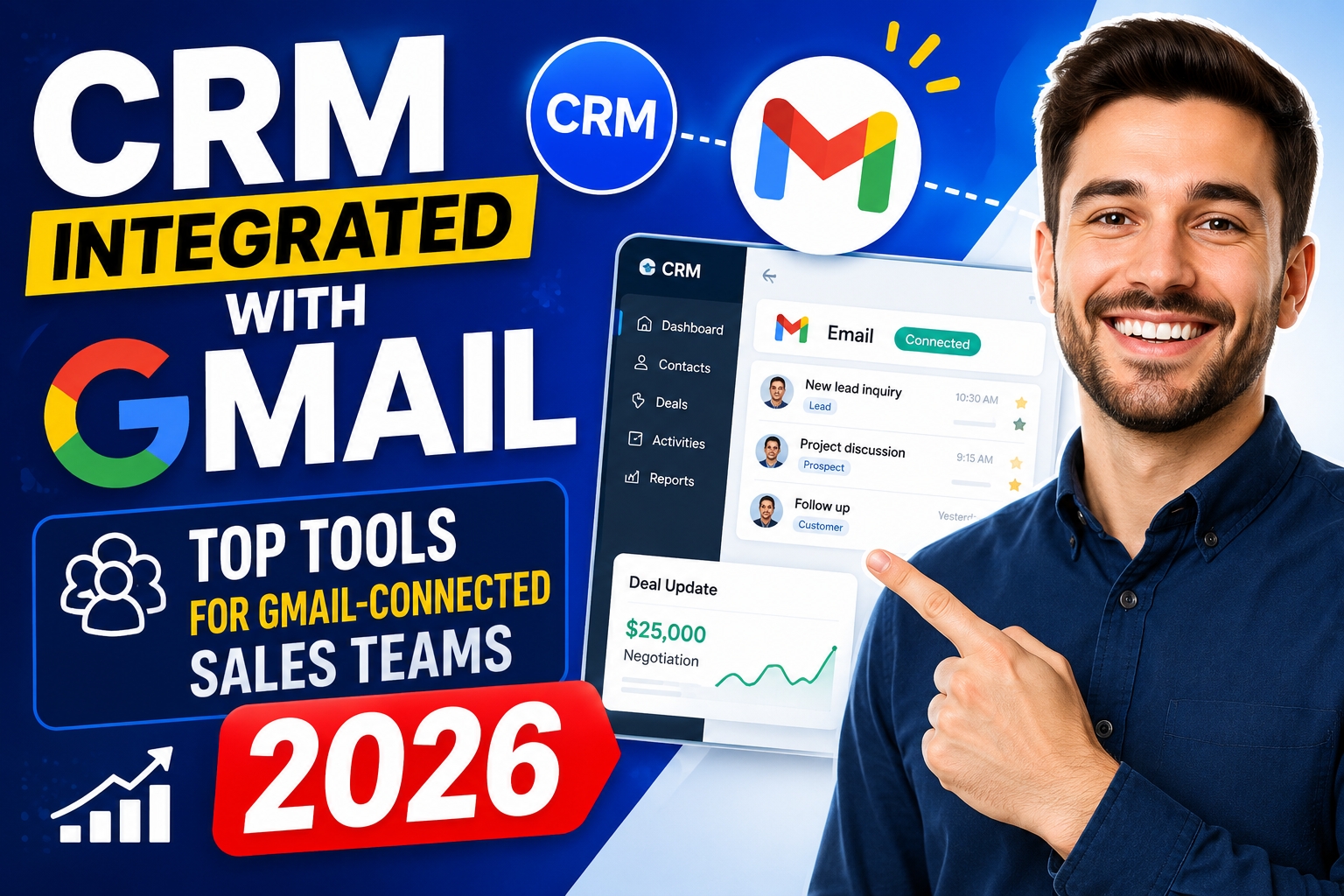
A CRM sidebar embedded inside Gmail shows you the complete customer record when you open or compose an email. You can see the contact’s deal stage, recent activities, open tasks, company information, and notes—all without leaving Gmail. Some platforms also let you log calls, create tasks, and update deal stages directly from this sidebar.
Automatic Email Logging
Every email sent to or received from a CRM contact is automatically logged to their record with a timestamp. This creates a complete communication history in the CRM without requiring reps to manually copy or forward emails. Managers gain full visibility into team communication activity.
Must-Have Features in a Gmail-Integrated CRM
Two-Way Email Sync
True two-way sync means emails sent from Gmail appear in the CRM and emails sent from the CRM appear in Gmail. One-way logging (CRM to Gmail only) creates gaps in the communication history.
Email Templates and Sequences from Gmail
Send CRM-stored email templates directly from Gmail. Enroll contacts in multi-step email sequences without leaving your inbox. Track opens, clicks, and replies automatically.
Meeting Scheduling
Insert a scheduling link or Google Calendar invite directly from Gmail, with the meeting automatically logged as a CRM activity when confirmed.
Contact Creation from Gmail
When a new prospect emails you, create a CRM contact with one click from the Gmail sidebar—pre-populating name, email, and company from the email signature.
Deal Stage Updates
Move deals through the pipeline from the Gmail sidebar without navigating to the CRM—reducing friction and improving pipeline hygiene.
Top CRMs Integrated with Gmail in 2025
Copper CRM — Best for Gmail-First Teams
Copper is the only CRM recommended by Google and designed exclusively for Google Workspace. It operates entirely within Gmail through a native sidebar, auto-logs all emails and calendar events, and syncs contacts bidirectionally. No manual data entry required—ever. Starting at $9/user/month.
HubSpot CRM — Best Free Option
HubSpot’s Gmail integration (via Chrome extension) is one of the most feature-rich free options available. The sidebar shows deal details, contact history, and tasks. Email sequences, templates, and open/click tracking all work directly from Gmail. The CRM itself is free with unlimited users.
Pipedrive — Best for Visual Pipeline Teams
Pipedrive’s Gmail integration provides automatic email sync, deal history in the Gmail sidebar, and the ability to create deals and contacts directly from email. Its visual pipeline makes it particularly useful for sales-focused teams. From $15/user/month.
Salesforce — Best for Enterprise
Salesforce’s Gmail integration via Einstein Activity Capture and the Salesforce for Gmail Chrome extension provides enterprise-grade auto-logging, AI-powered relationship insights, and full CRM record access from the inbox. Ideal for large teams already on Salesforce. Priced as part of Salesforce plans from $25/user/month.
Streak — Unique Gmail-Native CRM
Streak builds the entire CRM experience inside Gmail—pipelines appear as views within Gmail, not in a separate application. It’s the most Gmail-native CRM available, with pipeline views, mail merge, and email tracking all within Google’s interface. Free for individuals; Business from $49/user/month.
Zoho CRM — Best Value
Zoho CRM’s Gmail integration includes automatic email logging, a Gmail sidebar plugin, and Google Calendar sync. Its AI assistant Zia provides email sentiment analysis and follow-up suggestions. From $14/user/month.
Gmail-Integrated CRM Comparison
| CRM | Gmail Sidebar | Auto Email Logging | Email Sequences | Starting Price |
|---|---|---|---|---|
| Copper | Native (no extension) | Yes | Yes | $9/user/mo |
| HubSpot | Chrome extension | Yes | Yes | Free |
| Pipedrive | Chrome extension | Yes | Yes | $15/user/mo |
| Salesforce | Chrome extension | Yes (Einstein) | Yes | $25/user/mo |
| Streak | Built into Gmail | Yes | Yes (mail merge) | Free |
| Zoho CRM | Plugin | Yes | Yes | $14/user/mo |
Related Resources
Frequently Asked Questions
What is the best CRM integrated with Gmail?
Copper CRM offers the deepest Gmail integration, built exclusively for Google Workspace with a native sidebar and zero manual logging. HubSpot is the best free option. Streak is uniquely Gmail-native. The best choice depends on your team size, budget, and whether you need CRM features beyond Gmail connectivity.
Does a CRM integrated with Gmail log all emails automatically?
Yes—most Gmail-integrated CRMs offer automatic email logging for all emails to and from CRM contacts. Most platforms allow you to configure exclusions (e.g., internal team emails or personal threads) so only customer-facing emails are captured in the CRM.
Can I use CRM email templates directly from Gmail?
Yes, platforms like HubSpot, Copper, and Pipedrive allow you to access CRM-stored email templates and insert them while composing emails in Gmail. You can also track when the recipient opens or clicks the email—all without leaving Gmail.
Is a CRM integrated with Gmail secure?
Yes—all major CRM Gmail integrations use Google’s OAuth 2.0 authorization, which means the CRM never sees your Gmail password. You grant specific permissions (like “read and send emails”) that can be revoked at any time from your Google account security settings. Enterprise Google Workspace admins can also control which third-party apps have Gmail access.
Conclusion
A CRM integrated with Gmail eliminates the biggest productivity killer for sales teams—context switching between email and CRM. By bringing deal data, contact history, and activity logging directly into the Gmail inbox, your team can focus on selling rather than data administration.
Want a custom CRM built around Gmail and Google Workspace? Explore VBWebSol’s custom CRM services or contact our team for a free consultation.