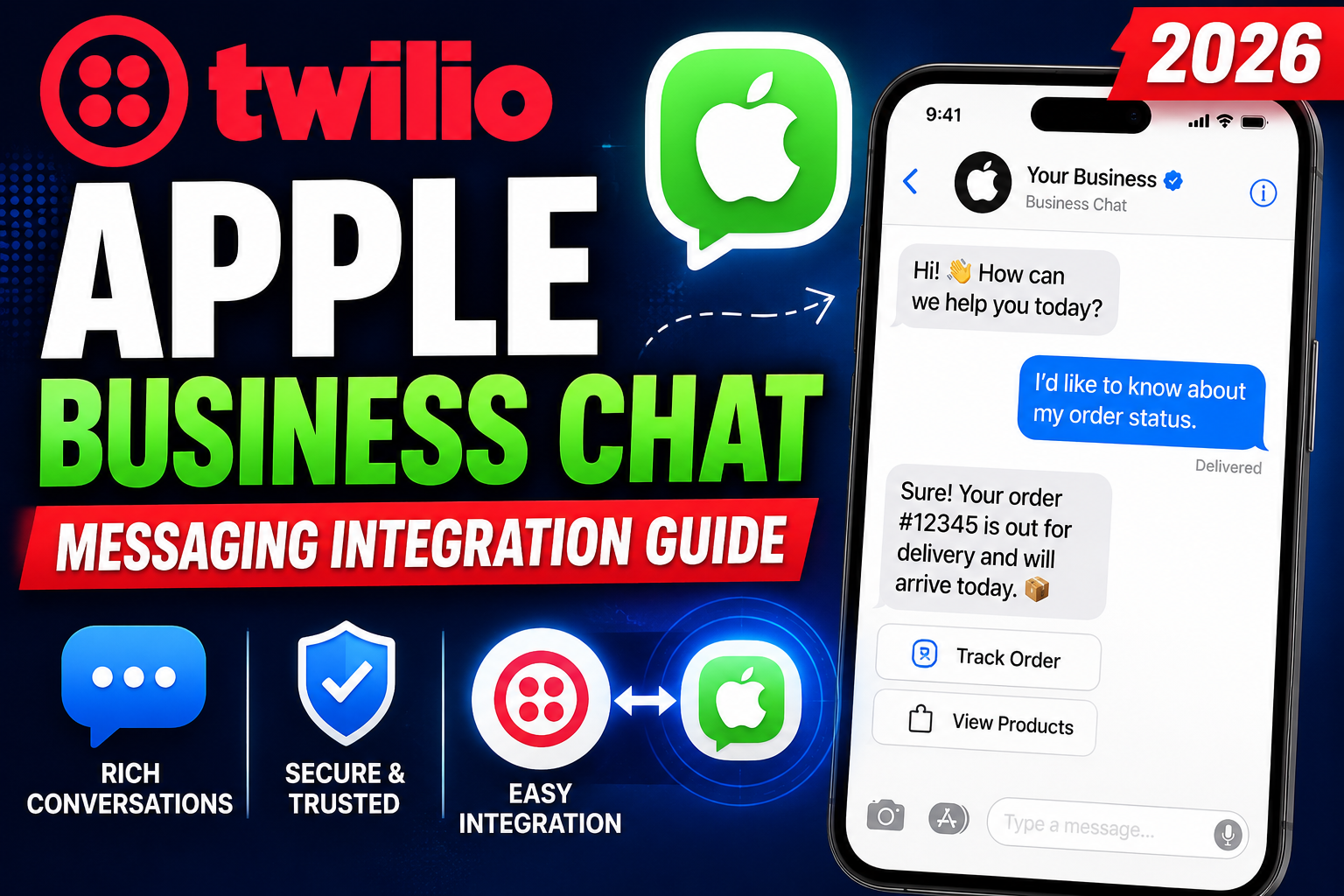
As messaging becomes the preferred communication channel for billions of iPhone users worldwide, businesses that can engage customers through Apple’s native iMessage platform gain a significant competitive advantage. Twilio Apple Business Chat—now known as Apple Messages for Business—enables companies to connect with customers directly through the Messages app on iPhone, iPad, and Mac using Twilio’s communications infrastructure.
This guide covers everything you need to know about Twilio’s Apple Business Chat integration, from how it works to setup requirements, features, and use cases.
What Is Apple Business Chat (Apple Messages for Business)?
Apple Messages for Business (formerly Apple Business Chat) is a platform that allows businesses to communicate with customers through the Messages app on Apple devices. Customers can reach businesses by tapping a “Message” button in Safari, Maps, Spotlight Search, or Siri—and receive responses directly in their iMessage interface.
Since iMessage is pre-installed on all Apple devices and used by over 1 billion people globally, Apple Messages for Business provides access to an enormous, highly engaged audience without requiring app downloads or account creation.
How Twilio Integrates with Apple Messages for Business
Twilio acts as a Messaging Service Provider (MSP) for Apple Business Chat, enabling businesses to manage Apple Messages conversations through Twilio’s Conversations API. This means all Apple Messages interactions can be handled alongside SMS, WhatsApp, MMS, and other channels in a single unified messaging platform.
Twilio’s integration allows businesses to:
- Receive and respond to Apple Messages through Twilio’s APIs
- Build automated messaging workflows and chatbots for Apple Messages
- Route conversations to human agents using Twilio Flex (contact center platform)
- Send rich messages with images, PDFs, maps, and interactive buttons
- Enable Apple Pay requests for in-conversation commerce
Key Features of Apple Messages for Business via Twilio
Rich Messaging Capabilities
Unlike standard SMS, Apple Messages for Business supports rich media including images, videos, files, lists, and interactive message bubbles. Businesses can send product carousels, appointment schedules, or support menus with selectable options.
Apple Pay Integration
One of Apple Messages for Business’s most powerful features is native Apple Pay support. Customers can complete purchases directly within the conversation using Face ID or Touch ID—creating a frictionless mobile commerce experience.
Time Picker and List Picker
Apple provides specialized message types for business workflows: Time Pickers allow customers to select appointment times, while List Pickers present menu options or product selections in a visual, interactive format.
Forms and Authentication
The iMessage Apps extension allows businesses to collect structured data through forms within the conversation—ideal for order customization, feedback collection, or account verification.
Read Receipts and Typing Indicators
Apple Messages for Business includes native read receipts and typing indicators, making conversations feel more natural and human than traditional business messaging channels.
Business Use Cases for Twilio Apple Business Chat
Customer Support
Route incoming support requests from Apple devices to human agents via Twilio Flex. Agents see the full conversation history and customer context, enabling faster, more personalized resolution.
E-Commerce and Sales
Allow customers to browse products, ask questions, and complete Apple Pay transactions—all within iMessage. This is particularly powerful for mobile-first retailers targeting Apple device users.
Appointment Scheduling
Healthcare providers, salons, and service businesses can use Time Picker to let customers book appointments directly in Messages, reducing phone call volume and no-show rates.
Order Status and Delivery Updates
Send proactive order confirmations, shipping updates, and delivery notifications through Apple Messages for Business, giving customers a richer experience than standard email or SMS.
Banking and Financial Services
Banks and fintech companies use Apple Messages for Business to provide secure account inquiries, fraud alerts, and authenticated transactions through a trusted, familiar interface.
Requirements for Getting Started
To launch Apple Messages for Business through Twilio:
- Apply for Apple Messages for Business registration at register.apple.com
- Complete Apple’s business verification and compliance review
- Select Twilio as your Messaging Service Provider during setup
- Configure your Twilio account with Apple Messages for Business credentials
- Build your message handling using Twilio’s Conversations API
Related Resources
Frequently Asked Questions
What is Twilio Apple Business Chat?
Twilio Apple Business Chat (now Apple Messages for Business) is an integration that enables businesses to communicate with customers through the native Messages app on Apple devices using Twilio’s communications APIs. It supports rich messaging, Apple Pay, appointment scheduling, and seamless routing to human agents.
How do customers contact a business on Apple Messages?
Customers can initiate conversations by tapping a “Message” or chat bubble button found in Safari, Apple Maps, Spotlight Search, Siri,
or on business websites and apps. The conversation opens directly in their iMessage application without any downloads or account creation.
Does Apple Messages for Business support payments?
Yes, Apple Messages for Business natively supports Apple Pay, allowing customers to complete purchases using Face ID or Touch ID directly within the iMessage conversation. This creates a seamless mobile commerce experience without redirecting to a browser or app.
Is Twilio required for Apple Messages for Business?
Twilio is one of several approved Messaging Service Providers (MSPs) for Apple Messages for Business. While Twilio is not the only option, its Conversations API, Flex contact center platform,
and multi-channel capabilities make it one of the most versatile choices for enterprise messaging implementations.
Conclusion
Twilio Apple Business Chat represents the future of customer communication on Apple devices—rich, secure, and deeply integrated with the tools people use every day. For businesses serving iOS users,
implementing Apple Messages for Business through Twilio opens a high-engagement channel that drives better customer experiences and conversion rates.
Ready to implement a multi-channel messaging solution for your business? Explore VBWebSol’s development expertise or get in touch to discuss your messaging strategy.