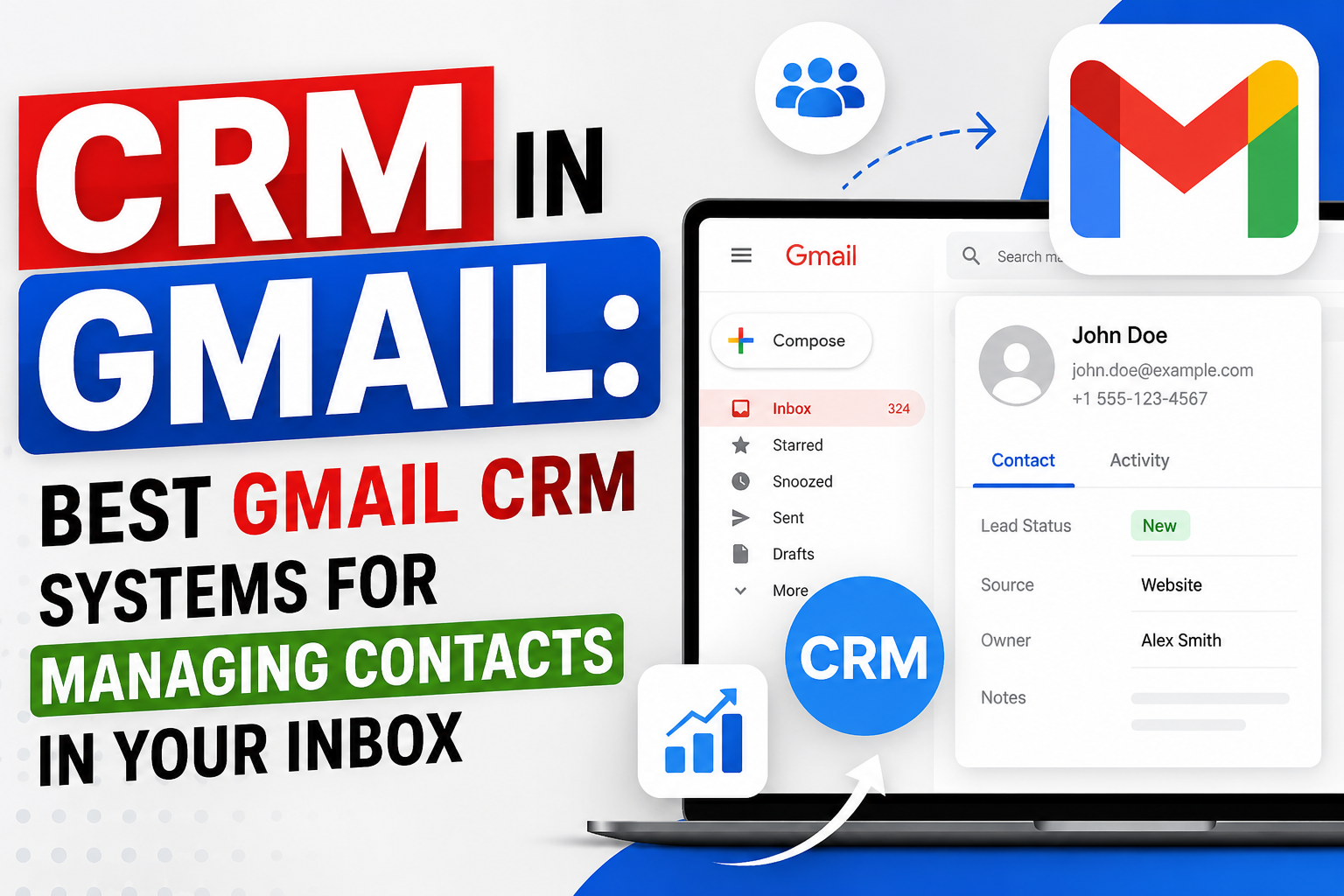
For many professionals, Gmail is where business happens. Every client conversation, proposal, and follow-up passes through the inbox. A CRM in Gmail embeds customer relationship management capabilities directly into your email interface—so you manage deals, contacts, and tasks without ever leaving Gmail.
What Is a Gmail CRM System?
A Gmail CRM system is either a CRM platform that operates natively inside Gmail (like Streak) or a CRM platform that extends into Gmail via a Chrome extension sidebar (like HubSpot, Copper, or Pipedrive). Both approaches keep sales data accessible while composing and reading emails—eliminating the context-switching that costs sales teams hours every week.
Types of Gmail CRMs Systems
Gmail-Native CRMs (Fully In-Inbox)
These CRMs tools live entirely inside Gmails. Pipelines, contact records, and email tracking are all views within Gmail—no separate application tab required.
Best example: Streak CRMs
Gmail Sidebar CRMs (Extension-Based)
A Chrome extension adds a CRMs sidebar panel that appears alongside Gmail email threads. The sidebar shows contact details, deal stage, activity history, and tasks—and allows actions (logging calls, creating deals, sending templates) without leaving Gmail.
Best examples: HubSpot, Copper, Pipedrive, Salesforce
Best CRMs in Gmail Options in 2025
Streak — Most Gmail-Native CRMs
Streak is built entirely inside Gmail—no separate app, no tab-switching. Pipelines appear as views within Gmail’s sidebar. Email tracking, mail merge, and contact management all live in the inbox interface. Free for individuals; Team from $15/user/month.
Copper — Best Purpose-Built Gmail CRMs
Copper is Google’s recommended CRM partner, built exclusively for Google Workspace. It operates natively within Gmail (not just via extension) with zero manual data entry—auto-logging all emails and calendar events. From $9/user/month.
HubSpot — Best Free Gmail CRMs
HubSpot’s Gmail Chrome extension provides a full-featured sidebar with contact details, deal stage, recent activity, email templates, sequences, and meeting scheduling. The CRMs is free. The extension is free. One of the most feature-rich Gmail CRM integrations available at zero cost.
Pipedrive — Best Visual Pipeline + Gmail
Pipedrive’s Gmail sidebar shows deal and contact information alongside email threads. Create contacts and deals directly from email. Auto-sync email to deal timelines. Strong visual pipeline in the main app. From $15/user/month.
Salesforce for Gmail
Salesforce’s Gmail Chrome extension and Einstein Activity Capture provide enterprise-grade CRM access from Gmail—full record access, AI-powered relationship insights, and automatic activity logging. For existing Salesforce customers. From $25/user/month.
Nethunt CRM
Nethunt is a CRM that lives inside Gmail, offering a folder-based view of contacts and deals within Gmail’s sidebar. Strong Gmail integration with automatic email logging, pipeline tracking, and automation. From $24/user/month.
Is Mailchimp a CRM System?
This is a common question: is Mailchimp a CRM? Mailchimp is primarily an email marketing platform—not a CRM system. While it maintains subscriber lists and contact properties, it lacks core CRM features like sales pipeline management, deal tracking, and activity logging. For CRM in Gmail, the platforms above are purpose-built for relationship management rather than mass email marketing.
FAQ
What is the best CRM in Gmails?
Copper and Streak provide the most native Gmail CRMs experiences. Copper is purpose-built for Google Workspace with zero manual entry. Streak lives entirely inside Gmail with no separate app. HubSpot provides the best free Gmail CRM via Chrome extension. The best choice depends on whether you want CRM inside Gmail or Gmail synced to a separate CRMs platform.
Can I use Gmail as a CRM?
Gmail itself is not a CRMs, but it can become one with the right tools. Streak turns Gmail into a full CRM inside the inbox. Copper uses Gmail as its primary interface. Tools like HubSpot and Pipedrive add CRM sidebars via Chrome extension that make Gmail function as part of a complete CRM system.
What is a Gmail CRM system?
A Gmail CRM system is a customer relationship management tool that integrates directly with Gmail—either operating natively inside the inbox (Streak, Copper) or extending into Gmail via a Chrome extension sidebar (HubSpot, Pipedrive). It enables contact management, deal tracking, email logging, and task management without leaving the Gmail interface.
Is Mailchimp a CRM?
No—Mailchimp is an email marketing platform, not a CRMs. While Mailchimp manages subscriber lists and contact tags, it doesn’t provide CRMs capabilities like sales pipeline management, deal tracking, or activity logging. For Gmail CRMs, purpose-built tools like Copper, Streak, or HubSpot are the right choice.
Conclusion
The right CRM in Gmail keeps your sales team in the inbox—where they already work—while capturing every customer interaction and making deal data instantly accessible. Whether you choose Copper’s native integration, Streak’s Gmail-first design, or HubSpot’s free extension, a Gmail CRMs system makes relationship management seamlessly part of your existing workflow.