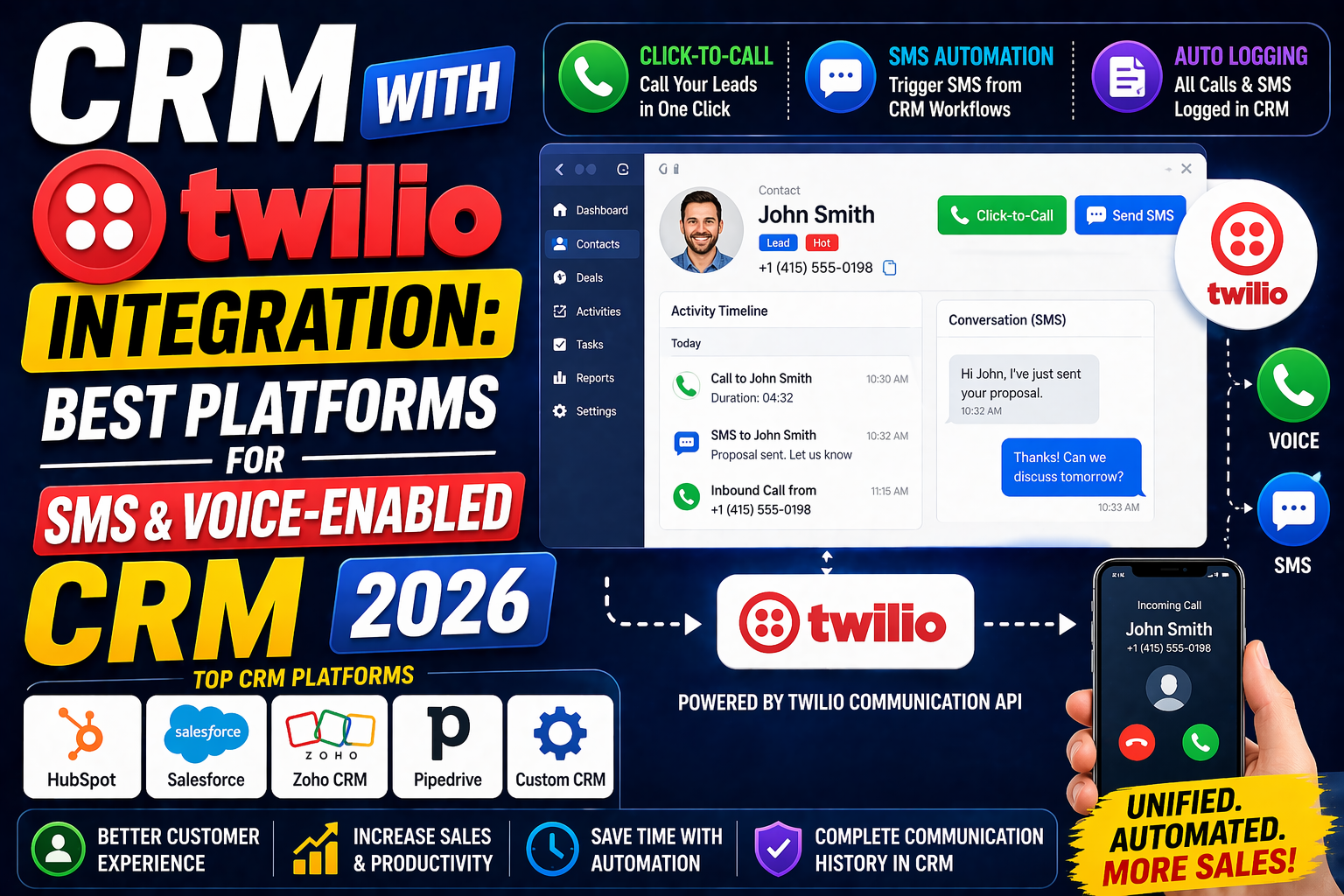
Combining a CRM with Twilio’s communication APIs creates a powerful platform where customer data drives personalized, automated communication across voice and SMS channels—all logged automatically in the CRM. A CRM with Twilio integration enables sales teams to call and text from within the CRM, trigger automated messages based on CRM events, and log all communication activity against the relevant contact and deal records.
What Can a CRM + Twilio Integration Do?
Click-to-Call from CRM
Sales reps click a phone number in the CRM to initiate a Twilio-powered voice call—no manual dialing. The call is automatically recorded and logged against the contact record with timestamp and duration.
CRM-Triggered SMS
When a deal reaches a specific pipeline stage, a Twilio SMS is automatically sent to the contact. Example: when a deal moves to “Proposal Sent,” an automated text says “Hi [Name], I’ve just sent your proposal—let me know if you have questions!”
Inbound Call Routing with CRM Data
Incoming Twilio calls look up the caller’s phone number in the CRM and route to the assigned rep—with a screen pop showing the contact’s complete CRM record before the call is answered.
SMS Conversations in CRM
Two-way SMS conversations with contacts are logged in the CRM timeline—giving the complete view of all communication across email, phone, and SMS in one place.
Automated Follow-Up Sequences
Trigger Twilio SMS follow-up sequences from CRM workflow automation—sending a series of texts over days or weeks based on contact behavior or deal stage changes.
Best CRM Platforms with Native Twilio Integration
HubSpot + Twilio
HubSpot’s Twilio integration (via the HubSpot App Marketplace or custom workflow actions) enables CRM-triggered SMS, call logging, and inbound call handling. HubSpot workflows can trigger Twilio SMS when contact properties change or deals reach specific stages.
Salesforce + Twilio
Twilio’s Salesforce integration enables click-to-call from Salesforce records, automatic activity logging, and CRM data-driven IVR routing. Twilio Flex integrates natively with Salesforce Service Cloud for a complete contact center CRM solution.
Zoho CRM + Twilio
Zoho CRM’s Twilio integration enables click-to-call, automatic call log creation, and SMS from CRM records. Zoho’s Workflow Rules can trigger Twilio SMS when lead scores reach thresholds or deal stages change.
Pipedrive + Twilio
Via Zapier or direct integration, Pipedrive connects with Twilio to trigger SMS notifications when deals move between pipeline stages and log calls made through Twilio’s APIs.
Custom CRM + Twilio
For businesses with a custom-built CRM, Twilio’s REST APIs and SDKs enable building precisely the calling and messaging features your team needs—click-to-call, automated SMS workflows, and full conversation logging—without the limitations of off-the-shelf integration connectors.
Building a Custom CRM-Twilio Integration
Custom CRM + Twilio integration typically requires:
- Twilio account with voice and SMS capabilities enabled
- Phone number(s) for inbound/outbound communication
- Backend API endpoints to handle Twilio webhooks (call status, message delivery events)
- CRM API or database connection to log activities and retrieve contact data
- Frontend UI elements (click-to-call buttons, SMS compose interface)
A basic click-to-call + SMS logging integration can be built in 20–40 hours of development. More complex IVR, conversation management, and omnichannel routing requires more substantial development effort.
FAQ
Can I integrate Twilio with my CRM?
Yes—Twilio integrates with most major CRM platforms including Salesforce, HubSpot, Zoho CRM, and Pipedrive through native connectors or Zapier automations. Custom CRM systems can integrate with Twilio through its REST APIs and webhooks for complete, tailored communication logging.
What does a CRM with Twilio integration do?
A CRM with Twilio integration enables click-to-call from CRM records, automatic call logging, CRM-triggered SMS messages, two-way SMS conversation logging, inbound call routing using CRM data, and automated follow-up sequences triggered by deal stage changes—creating a unified communication and relationship management platform.
Is Twilio hard to integrate with a CRM?
For standard use cases (click-to-call, SMS logging), Twilio integration with major CRMs is straightforward using existing connectors and Zapier. Custom integrations for IVR, call queuing, or complex automated sequences require developer expertise but are well-support Twilio’s comprehensive documentation and helper libraries.
What is the best CRM for SMS marketing with Twilio?
HubSpot and Salesforce offer the most robust CRM + Twilio SMS capabilities for marketing automation. HubSpot workflows can trigger personalized Twilio SMS based on contact behavior, deal stage, or date-based events. For high-volume SMS marketing, a custom CRM integrated directly with Twilio’s Messaging API provides maximum control and flexibility.
Conclusion
A CRM with Twilio integration brings the full power of programmable communications into your customer relationship management workflow. By connecting CRM data with Twilio’s voice and SMS capabilities, businesses create personalized, automated, and logged communication experiences that drive faster conversions and better customer relationships.
Need a custom CRM built with Twilio integration? Explore VBWebSol’s CRM development or contact our team today.