Off-the-shelf CRMs like Salesforce or HubSpot work well for most businesses, but some teams reach a point where a pre-built platform can’t quite match their workflow — or the per-seat pricing at scale makes a custom build genuinely cheaper over a few years. Building your own CRM from scratch is a serious undertaking, but it’s far more approachable in 2026 than it used to be, thanks to mature open-source frameworks, low-code tooling, and cloud infrastructure that removes most of the traditional heavy lifting.
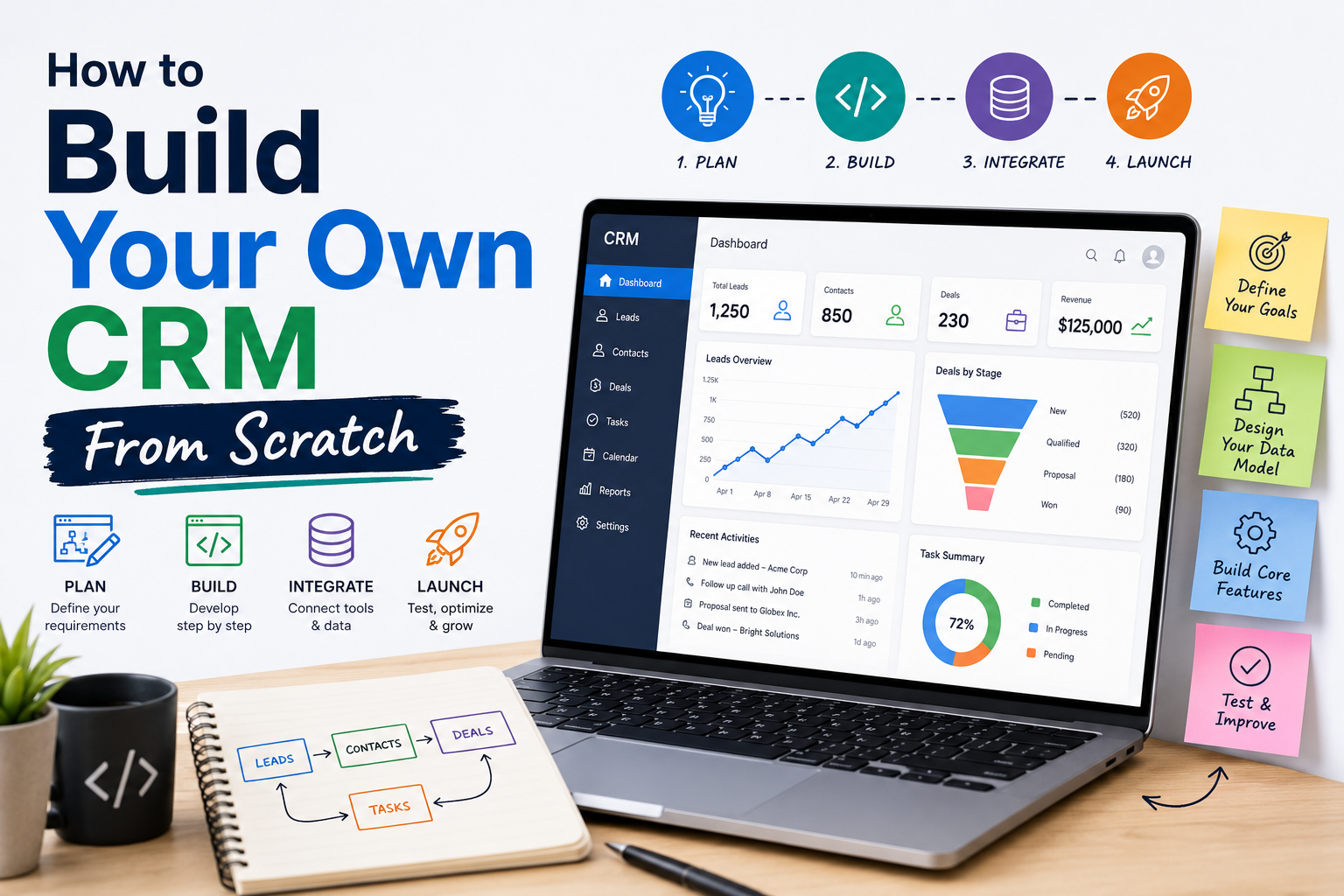
This guide walks through when building your own CRM actually makes sense, the core architecture every custom CRM needs, and a realistic step-by-step process for planning and executing the build.
Should You Build or Buy? A Decision Framework
Before writing a single line of code, it’s worth being honest about whether a custom CRM is the right call.
Building makes sense when:
- Your workflow is genuinely unusual — not just “slightly different” from what off-the-shelf tools offer, but structurally incompatible with pipeline/deal-based models.
- You have in-house engineering capacity that isn’t better spent on your core product.
- Data ownership, compliance, or security requirements make a self-hosted system necessary.
- You’re already paying enough in per-seat licensing at scale that a custom build pays for itself within a reasonable timeframe.
Buying (or heavily customizing an existing CRM) makes sense when:
- Your needs are mostly standard sales/marketing workflows with minor customization.
- You don’t have dedicated engineering resources to maintain a custom system long-term.
- Speed to launch matters more than perfect workflow fit.
A large share of “let’s build our own CRM” projects are better solved by heavily customizing a platform like Salesforce, HubSpot, or an open-source CRM (see below). Reserve a full custom build for cases where the underlying data model genuinely doesn’t fit anything on the market.
Core Architecture of a CRM System
Every CRM, no matter how custom, is built around the same foundational components:
1. Contact and Account Data Model
The heart of any CRM is its schema for people (contacts) and organizations (accounts), along with the relationships between them. Getting this data model right early is critical — retrofitting a contact schema after you have thousands of live records is painful.
2. Activity and Interaction Logging
Every call, email, meeting, and note needs to be tied back to a contact or account, timestamped, and attributed to a user. This is usually the highest-volume table in the system and needs to be designed with indexing and query performance in mind from day one.
3. Pipeline / Deal Tracking
Even non-sales CRMs typically need some version of a “stage-based” object — deals, applications, tickets, or cases — that moves through a defined sequence of statuses.
4. Task and Reminder Engine
Follow-up reminders, scheduled tasks, and automated triggers (e.g., “if no activity in 14 days, notify owner”) are what separate a CRM from a glorified spreadsheet.
5. Permissions and Role-Based Access
Multi-user CRMs need row-level and field-level permission controls — a sales rep shouldn’t necessarily see another rep’s pipeline, and finance data may need to be restricted from general users.
6. Reporting and Dashboards
Aggregation queries across contacts, deals, and activities, exposed through configurable dashboards, are usually one of the most requested — and most technically demanding — features to build well.
7. Integration Layer
Email sync, calendar sync, telephony (see Twilio-style integrations), and marketing automation connections are typically handled through a dedicated integration layer or middleware, rather than being hardcoded into the core application.
Tech Stack Options
Low-Code / No-Code Platforms
Tools like Airtable, Notion, or dedicated no-code app builders (Bubble, Retool) let non-engineering teams stand up a basic CRM in days rather than months. This is a strong starting point for validating your workflow before committing to a full custom build — and for many small teams, it’s a perfectly viable permanent solution.
Open-Source CRM Frameworks
Rather than building entirely from zero, many teams start from an open-source CRM codebase and customize it. Popular starting points include:
- SuiteCRM — a mature, actively maintained open-source fork of the original SugarCRM community edition, widely used for self-hosted deployments.
- EspoCRM — a lighter-weight, modern open-source CRM with a clean API, often chosen for smaller custom builds.
- Twenty — a newer, developer-friendly open-source CRM built with a modern stack, popular among engineering-led teams that want full control over the codebase.
Starting from one of these frameworks can save months of development time compared to a fully custom build, while still giving you the source-code-level control that a hosted SaaS CRM doesn’t offer.
Fully Custom Build
For teams building entirely from scratch, a typical modern stack looks like:
- Backend:js, Python (Django/FastAPI), or Ruby on Rails for the application layer
- Database: PostgreSQL is the most common choice for relational CRM data, given its strong support for complex queries and JSON fields for flexible custom attributes
- Frontend: React or Vue, often paired with a component library for faster UI development
- Search: Elasticsearch or PostgreSQL full-text search for contact/account lookup at scale
- Background jobs: A queue system (e.g., Redis-backed job queues) for handling email sync, automation triggers, and reporting jobs asynchronously
Step-by-Step: Planning Your Build
Step 1: Map Your Actual Workflow
Document every step of your current process — even the messy, informal parts — before designing any schema. Interview the people who will actually use the system daily, not just leadership.
Step 2: Define Your Data Model
Sketch out your core objects (contacts, accounts, deals/cases, activities) and their relationships. Decide early which fields are truly custom to your business versus standard CRM fields, since over-customizing early tends to create technical debt later.
Step 3: Prioritize a Minimum Viable Version
Resist the urge to build every feature at once. A working MVP with contact management, basic pipeline tracking, and activity logging is enough to start real usage and gather feedback before investing in advanced automation or reporting.
Step 4: Build the Integration Layer Early
Email and calendar sync are often the most time-consuming pieces to get right, and they’re also what determines whether your team actually adopts the new system. Prioritize these over cosmetic UI polish.
Step 5: Plan for Data Migration
If you’re replacing an existing CRM or a collection of spreadsheets, build and test your migration scripts against real (anonymized) data well before your planned cutover date.
Step 6: Roll Out in Phases
Launch to a small pilot group first, gather feedback aggressively, and only expand to the full team once the core workflows are validated in production.
Ongoing Maintenance Considerations
A custom CRM doesn’t stop costing money or engineering time once it launches. Budget realistically for:
- Security patching and dependency updates — an internal tool is still an attack surface if it touches customer data.
- Feature requests from the sales/success team — these will never fully stop, and a lightweight intake process helps prioritize them sanely.
- Data backup and disaster recovery — your CRM will eventually hold business-critical relationship data; treat backups with the same seriousness as your core product database.
- Scaling considerations — activity logging tables in particular can grow very large very quickly; plan your indexing and archiving strategy before it becomes a performance problem.
Common Pitfalls
- Underestimating the integration layer. Teams often budget most of their time for the CRM’s core UI and underestimate how much effort email/calendar sync and third-party integrations actually take.
- Over-engineering the data model too early. Building excessive flexibility (fully generic “custom object” systems) before you know what you actually need adds complexity without immediate payoff.
- Skipping user research. A custom CRM built without input from the people who’ll use it daily often ends up replicating the same friction points as the tool it replaced.
- No clear ownership after launch. Custom internal tools frequently degrade because no one is explicitly responsible for maintaining them once the initial build team moves on.
Frequently Asked Questions
How long does it take to build a CRM from scratch? A basic MVP with contact management, simple pipeline tracking, and activity logging can realistically be built in 4–8 weeks by a small, focused engineering team, especially when starting from an open-source framework. A fully custom, feature-complete CRM with reporting, automation, and integrations typically takes several months to a year.
Is it cheaper to build a CRM or buy one? For small to mid-sized teams, buying is almost always cheaper when factoring in both initial build cost and ongoing maintenance. Building tends to become cost-competitive only at larger scale, where per-seat SaaS pricing accumulates significantly, or when workflow requirements are genuinely incompatible with existing platforms.
What database is best for a custom CRM? PostgreSQL is the most common choice due to its strong relational query support and flexibility with semi-structured data (via JSON/JSONB fields) for custom attributes that vary by business.
Can I build a CRM without coding? Yes, to a point. No-code platforms like Airtable, Notion, or Bubble can support genuinely functional CRMs for small teams with straightforward workflows. More complex requirements — custom automation logic, high-volume activity logging, deep integrations — typically require custom code eventually.
What’s the difference between building on an open-source CRM versus fully from scratch? Starting from an open-source framework like SuiteCRM, EspoCRM, or Twenty gives you a working data model, UI, and permission system out of the box, which you then customize — dramatically reducing initial build time compared to a fully custom application, at the cost of some architectural flexibility.
Do I need a dedicated team to maintain a custom CRM? Yes, ongoing maintenance should be budgeted from the start. Even a simple internal CRM needs someone responsible for security updates, bug fixes, and evolving feature requests — an internal tool with no clear owner tends to degrade quickly.