

Reverse Image Search, Images are everywhere online. They shape how we learn, shop, connect, and even how we judge what’s real and what’s fake. Every scroll brings a new photo, meme, product shot, or profile picture. With so many visuals flying around, it’s natural to ask: Where did this image come from? Is it authentic? Has it been used somewhere else?
That’s exactly where reverse image search comes in. Think of it as the internet’s “image detective.” Instead of typing words into a search bar, you give the tool a picture and it goes out to find matching or similar images, related pages, and useful context. It’s simple enough for casual users and powerful enough for professionals, journalists, and creators.
This guide walks you through how it works, which tools to use, and how to get the most out of it in real-life situations.
What Is Reverse Image Search?
Reverse image search is a search technique where you use an image as the query instead of text.
You upload a photo or paste its URL.
The search engine analyses the visual content and returns matching or similar images plus related web pages.
It’s especially useful when you don’t have the right words to describe what you see. Maybe you have a picture of a building but no idea what it’s called, or a screenshot of a meme and you want the full context. Reverse image search fills that gap.
People use it to:
Verify where a picture came from.
Check if an image has been edited or used out of context.
Learn more about objects, locations, or people in a photo.
In short, it turns a single image into a doorway to more information.
How Reverse Image Search Works
So what happens under the hood when you drop a picture into a reverse image search tool?
Image upload or URL input
You either upload a file or paste an image link into the search engine.Visual feature analysis
The system doesn’t rely on filenames or alt text. Instead, it analyses the image itself and extracts distinctive features such as:Colors and their distribution
Shapes and edges
Textures and patterns
Spatial relationships between objects
Creating a visual “signature”
The tool converts these visual features into a mathematical representation or fingerprint of the image.Matching against massive image indexes
Search engines compare this fingerprint with billions of images already indexed on the web, using algorithms designed to find exact matches as well as close variations, such as resized or slightly edited versions.Ranking and showing results
Results are ranked by similarity and relevance, then displayed as:Exact matches in different sizes
Visually similar images
Web pages that contain the image or related content
Modern systems increasingly use AI and neural networks, which means they can recognise not just pixels, but the content of images: faces, objects, landmarks, and scenes. Over time, this continuous improvement makes results more accurate and more helpful.
Popular Reverse Image Search Tools
There are several major tools you can use, each with its own strengths. Choosing the right one depends on what you’re trying to find.
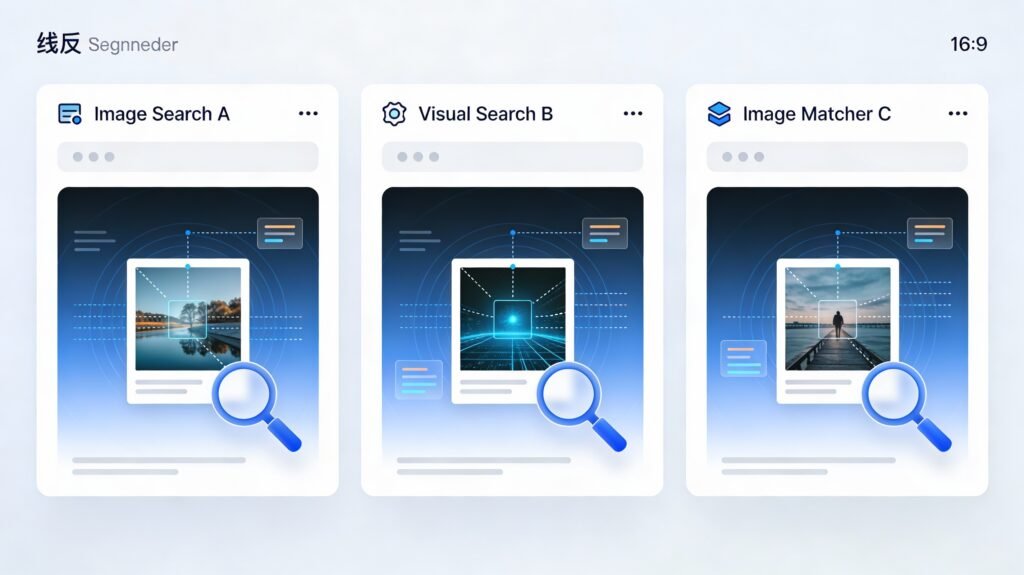
Google Images Reverse Search
Google Images is one of the most widely used reverse image search engines.
You can upload an image, drag-and-drop it, or paste a URL.
Results often include visually similar images, pages that embed the image, and related content.
Because Google indexes a huge portion of the web, it’s often the first stop for general reverse image searches.
Lenso.ai – Face and Deep Reverse Image Search
Lenso.ai focuses strongly on people and facial recognition, along with broader reverse image search.
Using Lenso, you can:
Check if your photos appear online.
Find old images of yourself that may be floating around the internet.
Detect possible copyright infringements or unauthorised use of your pictures.
Spot potential catfishing, fraud, or romance scams based on repeated face usage.
You can filter by categories like People, Duplicates, Places, Related, and Similar, and refine results by keywords, domains, and match quality. If no matches appear yet, you can set alerts to be notified when new matches show up.
Bing Visual Search
Bing Visual Search is particularly strong for identifying objects and products.
It can recognise items in photos, such as clothing, furniture, or gadgets, and show similar products or information about them.
It often highlights smaller objects within a larger scene, which is helpful for detailed product discovery.
This makes it a handy option when you want to “shop the look” or learn more about items in a picture.
TinEye Reverse Image Search
TinEye was one of the first commercial reverse image search engines and is still highly respected.
It focuses on finding where an image appears online and how it has been used.
TinEye is excellent at spotting exact matches and modified versions, including resized or slightly edited images.
It’s often used by creators and brands to track unauthorised usage or find higher-resolution versions of images.
Browser extensions let you right-click on any image and search it directly, which is very convenient.
Yandex Images Reverse Search
Yandex Images is particularly strong in facial recognition and location identification.
It frequently returns matches that other engines miss, especially for faces and less common locations.
It draws from a broad image database that includes many regions and languages.
For finding people, places, or artworks, Yandex is often a powerful complement to Google and Bing.
Mobile Apps and Browser Extensions
Reverse image search isn’t limited to desktop browsers anymore.
Many reverse image search apps and tools integrate directly with your camera or gallery, letting you search on the go.
Browser extensions from services like TinEye and others allow you to right-click on any image and run a search instantly, saving time when you’re investigating multiple pictures.
This makes reverse image search a natural part of everyday browsing and mobile use.
How to Perform a Reverse Image Search
The basic process is simple, and most tools follow a similar pattern.
General Steps
Choose a reverse image search tool (e.g., Google Images, Bing, Lenso, TinEye).
Click on the camera icon or “Search by image” option.
Upload an image file or paste an image URL.
Wait a few seconds while the tool analyses the picture.
Review the results: similar images, matching websites, and any context provided.
If you don’t get what you need from one engine, repeat the search on another. Different tools often yield different results.
Step-by-Step Summary
Upload or paste the image link into the search bar.
Let the tool process the visual details.
Browse the list of results for matches and similar images.
Visit the sites that use the image to get context.
Try other reverse image tools for a broader view if necessary.

Social Platforms
Social networks are flooded with images, and reverse image search helps cut through the noise.
Reddit Reverse Image Search
Reddit communities share countless images. By running a reverse image search:
You can find earlier posts or discussions that used the same picture.
This helps you trace the original context, read comments, and spot whether an image has been misrepresented or reposted without credit.
Facebook Reverse Image Search
Facebook doesn’t offer direct image search by default.
To investigate a picture, you upload it to a reverse image search engine and see if it appears on public profiles, pages, or other sites.
This is useful for identity checks and spotting duplicated or suspicious content.
Instagram Reverse Image Search
Instagram also doesn’t have a built-in reverse image feature.
However, you can take a screenshot or save the photo, then upload it to a reverse image search tool.
This helps you identify the original creator, track reposts, or verify whether a profile is using stolen content.
iPhone Reverse Image Search
On iPhone, you can:
Use Safari in desktop mode to access tools like Google Images and upload directly.
Use the Share menu from the Photos app to open an image in a compatible reverse search app or browser.
This makes it easy to check images you receive via messages or social media.
Face Reverse Image Search
Face reverse image search focuses on finding similar faces and related images of the same person.
It can reveal where a photo appears across websites, forums, or public profiles.
This helps with verification, identity checks, and spotting reused or stolen profile pictures.
Because this involves sensitive personal data, it’s important to use reputable tools and respect privacy and local laws.
AI-Powered Reverse Image Search
AI-based reverse image search goes further than traditional pixel matching.
It analyses shapes, edges, colors, patterns, and even semantic content (objects, faces, scenes).
It handles cropped, recoloured, or edited images more effectively and can sometimes detect manipulated or AI-generated content.
AI-powered systems are especially useful for copyright protection, fraud detection, content discovery, and deeper verification work.
Top Use Cases
Reverse image search isn’t just a cool trick. It solves real problems across everyday and professional scenarios.
1. Verifying Authenticity of Photos
Photos spread quickly, especially during news events or controversies. Some are old pictures reused as “breaking” content; others are heavily edited.
Reverse image search helps you see where a photo first appeared and how it’s been used over time.
This makes it easier to spot misinformation, misleading posts, or fake “evidence”.
If you work in journalism, research, or fact-checking, this step is essential.
2. Tracking Image Copyright and Ownership
Creators want to protect their work, and brands care about how their images are used.
By searching an image, photographers, designers, and companies can see where their visuals appear online.
They can then request credit, issue takedown notices, or negotiate licensing if the use is unauthorised.
Reverse image has become a key tool in digital rights management.
3. Identifying Objects, Products, and Places
Ever seen a product, building, or landmark and thought, “What is that?” Text search can be tricky if you don’t know what to type.
Reverse image search lets you upload the picture and find product pages, articles, or travel sites that identify the item or location.
It’s a huge time-saver for shoppers, travellers, and curious users alike.
4. Finding Higher-Resolution Versions
Sometimes you find an image that’s perfect—except it’s tiny or blurry.
Reverse image search can uncover larger, sharper versions of the same image or similar alternatives.
This is especially helpful when creating presentations, reports, or design projects where quality matters.
5. Detecting Fake Profiles and Scams
Scammers often steal photos from the web to build fake identities.
Running a reverse image search on a profile picture can show if the same image appears on multiple unrelated profiles or websites.
If it does, that’s a strong warning sign of a fake account.
This is valuable on dating sites, marketplaces, and social platforms.
Advanced Tips and Best Practices
Want better results? A few simple habits can make a big difference.
Use clear, high-quality images: The sharper and more focused the picture, the easier it is to match.
Crop to the main subject: Removing background distractions helps the tool focus on what actually matters.
Try multiple tools: Different engines excel at different types of content (faces, products, locations), so don’t rely on just one.
Save important sources: Bookmark useful result pages for future reference, especially for ongoing monitoring or legal use.
Experiment with upload vs URL: Sometimes uploading a file gives slightly different results than using a direct image URL.
These small tweaks can turn an average search into a highly insightful one.
Limitations
As powerful as it is, reverse image isn’t perfect.
Not all images are indexed: If a picture is stored on a private server, behind a login, or on a small site that search engines haven’t crawled, it may not show up.
Highly edited images can be missed: Heavy filters, major cropping, or compositing can make matching harder, especially for traditional systems.
Very recent uploads might not appear yet: New images can take some time to be discovered and indexed.
Private and closed profiles don’t show: Content restricted by privacy settings is generally invisible to public search tools.
Low-resolution or noisy images reduce accuracy: The less detail available, the more likely you’ll get weak or no matches.
Knowing these limits keeps expectations realistic and encourages you to combine tools and methods.
The Future of Reverse Image Search Technology
The future of reverse image search is tightly connected to advances in AI and computer vision.
Systems are becoming better at understanding context, not just pixels, which means richer explanations for why an image matches and how it has been edited or reused.
AI-powered tools are improving at detecting manipulated, AI-generated, or deepfake content, which will be crucial for online trust and safety.
Integration with mobile apps, AR, and everyday tools will make visual search feel as natural as typing a query — or even more so.
Expect more accurate face and object recognition, smarter filtering, and more privacy-aware solutions that still deliver strong results.
Similar Articles: Image Search Techniques: How to Search Smarter and Rule the Internet
Conclusion
Reverse image search is one of those simple tools that quietly solves big problems. With just a single picture, you can verify authenticity, track ownership, identify unknown objects or places, and protect yourself from scams. Tools like Google Images, Bing Visual Search, Lenso, TinEye, and Yandex make this capability available to everyone, not just experts.
When you understand how work, its strengths, and its limits, you can use it with confidence. Whether you’re a casual user, a creator, a marketer, or a researcher, it turns every image into an opportunity to learn more and stay safer online.
