
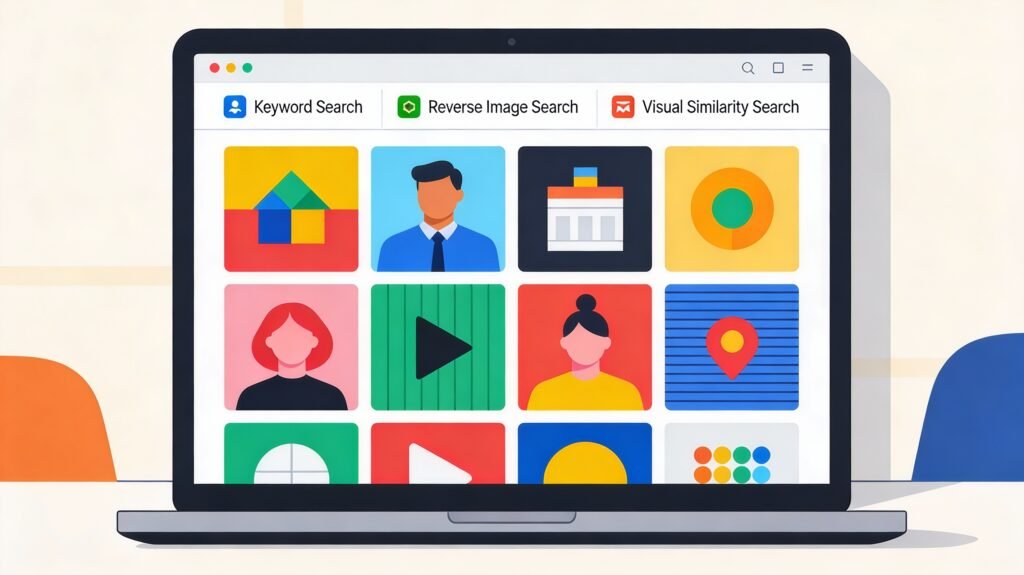
image search techniques rule the internet right now, and knowing how to search them smartly is no longer “nice to have” – it’s a real digital skill. Whether you are shopping, fact-checking, designing, or just curious, the right image search technique can save time, protect you from fakes, and spark powerful ideas.
What Is Image Search, Really?
image search techniques is the process of finding information using pictures instead of (or alongside) plain text. Instead of only typing “red sneakers,” you can upload a photo of the sneakers and ask the web to track down similar products, the original source, or related visuals.
It’s widely used in journalism, digital marketing, eCommerce, education, and social media to verify authenticity, identify products, or uncover where and how an image is used online. Modern engines combine visual analysis with metadata like file names, alt text, captions, and surrounding page content to deliver results that are relevant and context-aware.
How Image Search Actually Works
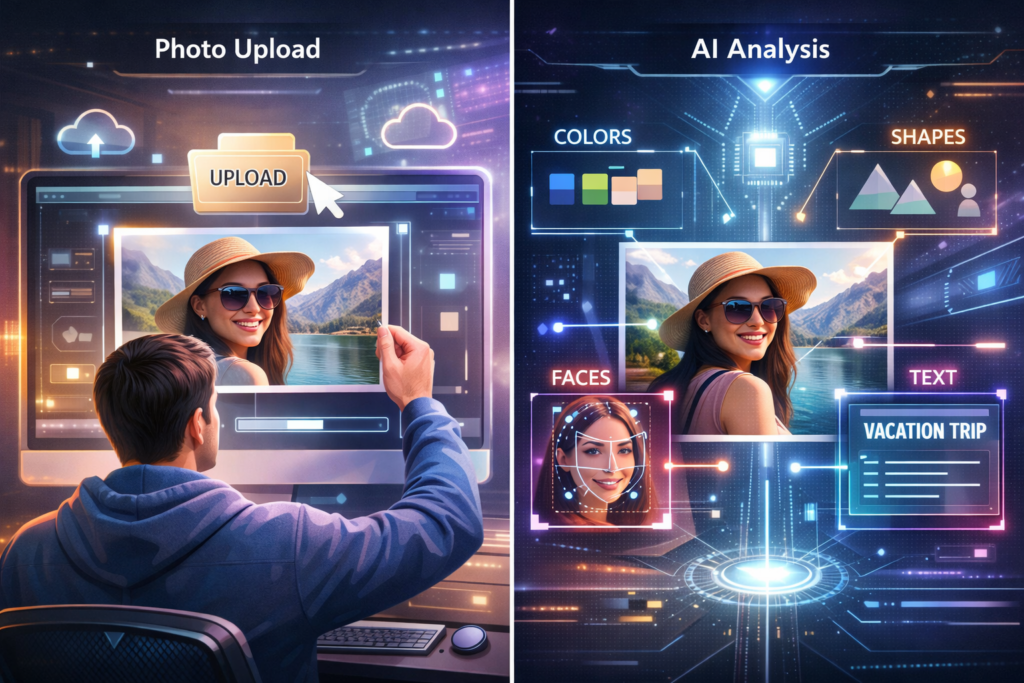
image search techniques Under the hood, image search is powered by computer vision, AI, and machine learning models that break an image down into its basic visual signals. These signals include:
Colors, edges, and shapes
Patterns and textures
Detected objects and faces
Text inside the image (via OCR)
The system then compares these features against billions of indexed images to find exact matches, near matches, or visually similar results. At the same time, it also looks at non-visual clues like:
File name and alt text
Captions and on-page headings
Overall topic of the page and user behavior
Upload a picture of a red handbag, for example, and the engine will read its color, shape, style, and even background context, then return visually similar bags from eCommerce sites, fashion blogs, and social feeds.
Main Types of Image Search Techniques
Different goals demand different search techniques. Knowing which one to use is half the battle.
1. Keyword‑Based Image Search
This is the classic “type and see images” method you already use. You enter a phrase like “sunset over mountains” or “minimalist home office desk,” and the engine matches your words to:
Alt text and captions
File names
On-page content
Keyword search works best when:
You know how to describe what you want in words
You need general inspiration or mood images
You care about topic relevance more than exact visual matches
2. Reverse Image Search
Reverse image search flips the usual process: you search with an image, not for an image. You upload a file or paste an image URL, and the engine hunts for:
Exact matches
Cropped or resized versions
Slightly edited or filtered versions
This is incredibly useful when you want to:
Find the original source of a photo
Check if your images are being reused without permission
Detect fake news, edited visuals, or misleading claims
Many professionals (journalists, photographers, brands) use reverse image search as a routine verification step before trusting or publishing visuals.
3. Visual Similarity Search
Visual similarity search is less about exact copies and more about “looks like this.” Instead of finding the same file, the engine finds images that share the same:
Layout and composition
Color palette
Style, pattern, or aesthetic
This is huge in:
Fashion (similar dresses, shoes, accessories)
Interior design (sofas, lamps, decor with the same vibe)
eCommerce discovery (alternative products with the same look)
Think of it as a visual matchmaking engine that turns inspiration into concrete options you can actually buy or use.
4. Color and Pattern‑Based Search
Sometimes you care less about what the image shows and more about how it looks. Color and pattern-based search lets you:
Filter images by specific colors or palettes
Focus on patterns like stripes, florals, or geometrics
Designers, advertisers, and brand managers rely on this method to maintain consistent visual identity across campaigns and platforms. Many stock libraries and design tools also offer color filters to help match gradients, tones, and brand palettes.
5. Object and Facial Recognition Search
Object and facial recognition take things to another level by using advanced computer vision models to “understand” what is inside an image. These systems can:
Identify faces and match them across photos
Detect logos and products
Spot vehicles, animals, plants, buildings, and more
Read text via OCR (signs, screenshots, documents)
They are widely used in:
Law enforcement and security
Media verification
Social media tagging and auto-tag suggestions
Product identification in shopping apps
Because these techniques can be sensitive, they also raise privacy and ethics questions, especially around surveillance and biometric data.
When to Use Each Technique
Pick the wrong technique and you waste time; pick the right one and everything clicks.
| Goal | Best Technique | Why It Works |
|---|---|---|
| Get general visuals or inspiration | Keyword-based search | Uses text relevance and metadata to surface broad, themed images |
| Find original source / track copies | Reverse image search | Locates exact and modified versions across sites |
| Discover similar styles or products | Visual similarity search | Focuses on look, layout, and aesthetic, not just exact file matches |
| Maintain brand colors and style | Color & pattern-based search | Filters by palettes and patterns to keep visuals on-brand |
| Identify people, logos, or objects | Object/facial recognition | Detects entities and text within images for precise identification |
In real life, you’ll often combine multiple methods. For example, a marketer might:
Start with keyword search for ideas
Use visual similarity to refine style
Run reverse image search to check originality and usage rights
Top Tools for Image Search (And What They’re Best At)
Let’s talk about the tools you’ll actually use day to day.
1. Google Images – Your Default Workhorse
Google Images supports both keyword and reverse image search techniques and has one of the largest image index on the planet. You can:
Type keywords
Upload an image
Paste an image URL
Its algorithms are strong at matching visual patterns, reading alt text, and understanding page context, making it ideal for general search, SEO work, and everyday inspiration.
2. Lenso AI – Face‑Focused Reverse Image Search
Lenso.ai specializes in AI-powered reverse image search with strong facial recognition and duplicate detection. It helps you:
See where an image (especially a face) appears online
Spot potentially stolen content
Detect catfishing or identity misuse
Track exact duplicates over time
It also offers alerts so you’re notified when new matches appear, which is handy for ongoing monitoring.
3. TinEye – Tracking Origins and Duplicates
TinEye is a dedicated reverse image engine built to find where an image lives on the web and how it has been altered. It can:
Detect resized, cropped, or slightly edited versions
Help photographers and brands check unauthorized usage
Support journalists in verifying image history and context
Its massive index and image-matching algorithms make it a go-to tool for copyright and authenticity checks.
4. Bing Visual Search – Shopping and Object Discovery
Bing Visual Search lets you highlight a specific part of an image—like a lamp, jacket, or chair—and then finds similar products or items. It’s heavily used by online shoppers for:
Finding buyable versions of what they see in lifestyle photos
Exploring similar options across stores
Quickly running object lookups from within Microsoft Edge
The tight integration with the browser makes visual lookups feel almost instant.
5. Pinterest Lens – Lifestyle, Fashion, and Décor Goldmine
Pinterest Lens turns your camera or uploaded picture into a discovery engine for ideas. You can snap or upload a photo and get:
Similar outfits and styling ideas
Home décor inspiration
DIY, recipes, and lifestyle content tied to the visual
Creators and lifestyle brands use it heavily to turn real-world visuals into boards full of fresh, on-trend inspiration.
6. Yandex Images – Surprisingly Strong Recognition
Yandex Images, built by Russia’s leading search engine, is particularly strong at face, object, and landmark recognition. Many investigators, journalists, and OSINT researchers use it to:
Cross-check what Google or Bing finds
Discover additional matches missed by other engines
Identify locations and people in tricky cases
Using Yandex alongside other tools often surfaces images from different regions and platforms.
7. Shutterstock – Copyright Tracking for Creators
Shutterstock isn’t just a stock library; it also provides reverse image capabilities for registered users. This helps:
Photographers and illustrators monitor where their licensed works appear
Brands track unauthorized or off-license use of premium imagery
Companies protect IP while maintaining responsible usage practices
For serious content owners, it acts as an extra layer of copyright protection.
Best Practices for Powerful Image Searches
If your image search techniques feel random or frustrating, a few simple habits can change everything.
Use high-quality images: Blurry, heavily cropped, or over-edited photos confuse algorithms and reduce match accuracy.
Be specific with keywords: “Black leather running shoes” beats just “shoes” every time.
Try multiple tools: No single engine has full coverage. Using Google Images, TinEye, Yandex, and Bing together often yields richer results.
Apply filters: Narrow results by size, color, usage rights, or date to focus on what you can actually use.
Respect copyrights: Always check licensing before downloading, reposting, or using images commercially.
These small tweaks make searches faster, more accurate, and much safer from a legal perspective.
Common Mistakes You Should Avoid
Plenty of people use image search daily—but use it badly. Here are common pitfalls:
Relying on low-res or cropped inputs: This changes key visual features and can completely throw off reverse search and similarity matches.
Using only one search engine: Every tool has its own index and strengths; sticking to one limits what you’ll find.
Ignoring filters: Skipping size, date, and rights filters clutters your results and increases the risk of misusing copyrighted content.
Overstuffing keywords: Long, messy queries with irrelevant terms confuse search engines. Simple, focused phrases work better.
Not checking usage rights: Grabbing “nice images” without checking licenses can lead to takedowns or even legal claims.
Treat image search like any other research tool: focus, cross-check, and verify before you hit download or publish.
Real‑World Uses of Image Search
Image search has quietly become part of dozens of everyday workflows. Some of the most impactful use cases include:
Journalism & fact‑checking: Reporters use reverse search to verify if a viral photo is old, edited, or stolen from another context.
eCommerce & retail: Shoppers upload a product photo and instantly see matching or similar items to buy, boosting conversions for brands.
Design & creative work: Designers and marketers search by style, color, and pattern to gather references and maintain brand consistency.
Education & research: Teachers and students find diagrams, maps, artworks, and scientific images, while also verifying sources.
Law enforcement & security: Agencies use facial recognition and object matching to identify suspects, track stolen goods, and spot counterfeits.
Marketing & brand protection: Brands scan the web to see where their logos, ads, and visuals appear and whether they’re being misused.
Social media monitoring: Creators track reposts, uncredited shares, or meme usage of their original content.
In short, image search has evolved from a curiosity tool into a serious backbone for verification, commerce, and creativity.
The Future of Image Search and Visual Discovery
Visual search is only getting smarter, faster, and more personal. Emerging trends include:
Highly accurate recognition: New deep learning models can recognize objects from odd angles, in poor lighting, or partly obscured.
Multimodal search: You’ll mix text, voice, and images in one query, like “show similar chairs, but in blue and under $200.”
Augmented reality integration: Point your camera at a building, plant, or product and instantly see layered information, reviews, or purchase options.
Wearables and real‑time discovery: Smart glasses and other wearables will make “search what you see” completely hands‑free.
Personalized visual results: Engines will increasingly adapt results based on your taste, past behavior, and context, not just the image alone.
At the same time, expect more conversations about privacy, consent, and ethical boundaries, especially around facial recognition and always-on visual tracking.
Conclusion
Image search techniques have transformed how we explore, verify, and use visual content online. From simple keyword-based lookups to advanced AI-powered recognition, each method offers its own strengths for discovery, protection, and creativity. When you understand when to use keyword search, reverse search, visual similarity, color-based filters, or facial and object recognition, you turn the visual web into a powerful toolkit instead of a chaotic feed.
If you want to level up your digital skills, mastering image search is a smart, practical place to start. Experiment with different tools, refine your queries, double-check image rights, and treat every picture as a potential source of deeper information—not just something pretty to scroll past. Over time, you’ll spot fakes faster, find better visuals for your projects, and discover that the web looks very different once you know how to truly “search by image.”
